
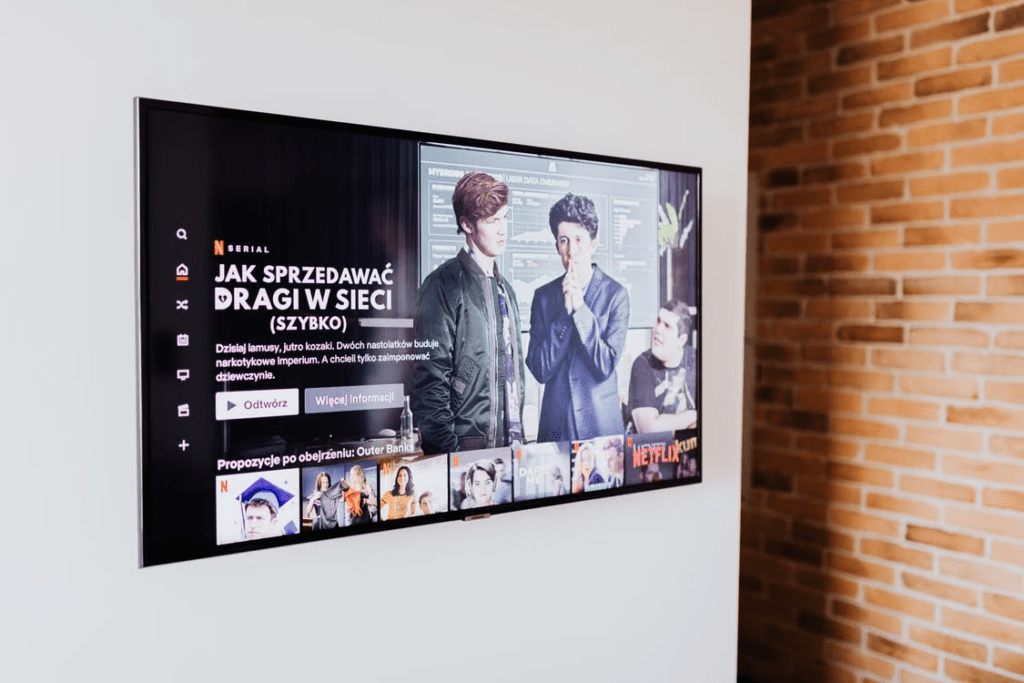
Paying for a premium streaming plan does not guarantee that every film will play in HDR, Dolby Vision, Dolby Atmos, or Spatial Audio. These formats appear only when the subscription, title, application, playback device, display, audio equipment, connection, and selected track all support the same feature.
A single incompatible component can cause the service to fall back to a lower format. A 4K television may show an ordinary SDR picture because the selected title is not available in HDR. A Dolby Atmos soundbar may receive only stereo because the streaming application or audio track does not carry Atmos. Spatial Audio may be available through headphones even when the room has no surround speakers, but only under the conditions defined by that platform.
The right starting point is not buying another cable or replacing the television. First establish which format is missing and trace its path from the streaming plan to the final screen, speaker, or headphones.
The Subscription Plan Sets the First Limit
Streaming services do not include every premium format in every tier. Plan names and benefits also vary by country, so the account page for the region where the subscription is billed should be treated as the current reference.
Netflix currently places 4K Ultra HD, HDR, and Netflix Spatial Audio in its Premium plan. Lower tiers do not provide the same combination of picture quality and audio features. Spatial Audio is available only on compatible titles, even when the account has Premium.
HBO Max follows a similar structure. Its Premium tier supports streaming in 4K UHD, Dolby Vision, HDR10, and Dolby Atmos where those formats are available. The service does not promise that every title or device will provide all four features.
A subscriber should therefore separate plan eligibility from actual playback. The plan grants access to a possible format. It does not add that format to a title that was mastered only in HD, SDR, or stereo.
The plan description should be reviewed whenever the service changes its tiers or when the account is moved to a cheaper option. An advertising-supported plan may reduce resolution, remove downloads, lower simultaneous-stream limits, or exclude advanced audio. A downgrade made to save a small monthly amount can remove the exact feature for which the television or sound system was purchased.
The billing route can also matter. A subscription purchased through an app store, mobile carrier, television provider, or promotional bundle may use a different tier name from the one shown on the streaming service’s main website. Open the account settings and identify the active plan rather than assuming that a high monthly price means Premium.
The Title Must Carry the Required Format
A suitable plan and expensive equipment cannot create HDR or Atmos when the selected program does not contain them.
Open the detail page for the exact film, episode, or season on the device that will play it. Look for labels such as 4K, UHD, HDR, Dolby Vision, Dolby Atmos, or Spatial Audio. Apple advises users to rely on these format icons when identifying compatible movies in the Apple TV app. It also notes that the highest available quality depends on the device used for playback.
The label should be checked inside the application rather than through a general web search. A promotional page may describe the best version available anywhere, while the television app shows the version supported by that device and region.
Different seasons can also have different specifications. A recent season may be mastered in Dolby Vision and Atmos while earlier episodes remain HD with 5.1 sound. Remastered films may coexist with older editions, and a platform can replace one version without changing the visible title.
Language selection affects audio. The original-language track may offer Dolby Atmos, while a Korean dub or another localized track provides 5.1 or stereo. If the Atmos indicator disappears after the language changes, the equipment may be working correctly. The selected track simply does not contain the Atmos mix.
Netflix confirms that Dolby Atmos is limited to selected titles and requires a compatible plan, device, and audio system. Its title page displays the relevant audio indicator when the format is available to the current setup.
Use several known compatible titles when diagnosing a problem. If Dolby Vision works on one marked film but not another, the difference is likely related to the title, edition, application, or region. If every marked title plays in SDR, the limitation is more likely to be in the device or connection chain.
HDR and Dolby Vision Are Not the Same Requirement
HDR is a broad category of high-dynamic-range video. Dolby Vision is one particular HDR format that can use dynamic metadata to adjust the picture throughout a program.
A television labeled HDR may support HDR10 but not Dolby Vision. In that case, a service may send HDR10 when available or fall back to SDR if it cannot negotiate a compatible HDR format.
The television specifications should list the supported formats explicitly. “4K,” “UHD,” and “HDR-ready” do not prove Dolby Vision compatibility. A 4K display describes resolution, while HDR and Dolby Vision describe other parts of the image signal.
The application also matters. A smart television may support Dolby Vision through one built-in service but lack it through another app because of certification, software, or model-generation differences. An external streaming box can add broader app support, but it cannot make a television panel display a format that the television does not accept.
For a built-in television app, the chain is relatively short:
Streaming service, television application, television panel.
For an external player, the chain becomes longer:
Streaming service, streaming application, playback box, HDMI cable, HDMI input, television.
Every stage must pass the required signal. A device that supports Dolby Vision may still output SDR if the connected HDMI input is operating in a restricted mode. Manufacturers use names such as Enhanced Format, Deep Color, UHD Color, or Input Signal Plus for settings that enable higher-bandwidth signals.
Do not enable every advanced input option without reading the model instructions. Apply the setting to the HDMI port actually used by the streaming device and confirm that the port supports the required format.
The Connection Can Reduce 4K HDR to HD or SDR
The cable and port need enough capacity for the signal, but buying the most expensive cable is not a substitute for identifying the actual fault.
Netflix advises Premium users to use a Premium High Speed HDMI or Ultra High Speed HDMI cable for its highest video quality. For 4K or HDR, every relevant device and cable must be connected through an HDMI port supporting HDCP 2.2 or later.
This requirement applies to every component between the player and the display. If an AV receiver, HDMI switch, capture device, or soundbar sits in the middle, that component must accept and pass the same video format.
A common failure occurs when a modern streaming box and television both support Dolby Vision, but the older receiver between them accepts only ordinary 4K or HD. The receiver becomes the limiting component and the entire path falls back.
Changing the connection order may solve the problem. Connecting the streaming player directly to the television can preserve Dolby Vision, while audio returns from the television to the soundbar or receiver through ARC or eARC. Whether this arrangement preserves Atmos depends on the television, application, audio format, and return-channel support.
A bad cable usually produces recognizable symptoms such as a blank screen, flashing, intermittent loss of signal, color problems, or repeated switching between formats. A stable SDR picture does not automatically mean the cable is defective. The title, plan, application, port setting, or intermediate device may simply lack HDR support.
Network performance should be considered only after format compatibility is established. HBO Max recommends at least 25 Mbps for 4K viewing and 50 Mbps or more for the most reliable result. A weak connection may cause quality reduction, but faster internet cannot add Dolby Vision to an incompatible screen.
Dolby Atmos Requires a Complete Audio Path
Dolby Atmos is an object-based immersive audio format. A compatible title and subscription are only the beginning. The playback device, application, television or receiver, connection, and final audio system must also preserve or decode the Atmos signal.
Netflix requires a plan supporting Ultra HD, an Atmos-capable Netflix device, a compatible audio system, and streaming quality set to High or Auto.
Apple TV 4K users can review the result under Settings, Video and Audio, and Audio Format. Apple states that the Dolby Atmos option appears under Immersive Audio when the home entertainment setup supports it. If the option is missing, the connection arrangement may need to be changed.
An Atmos logo on a soundbar does not prove that every incoming source will reach it as Atmos. The television may convert the signal to stereo, the HDMI input may not support the required return format, or the app may provide Atmos only through selected devices.
The equipment display or information panel can help identify the received signal. Look for an Atmos indicator on the receiver or soundbar while playing a title specifically labeled Dolby Atmos. The streaming interface’s title badge shows that Atmos is available, while the audio equipment’s display helps establish whether it actually arrived.
Soundbars can reproduce an Atmos presentation through upward-firing speakers, dedicated rear channels, or virtualization. The effect will differ from a room containing separate height speakers. The Atmos label confirms format support, not that every system will create the same sense of overhead movement.
When dialogue clarity is the priority, a well-configured 5.1 system may be more satisfying than a small Atmos device installed in a poor room. The format should not be treated as a quality ranking independent of speaker placement and equipment design.
Spatial Audio May Work Without an Atmos Speaker System
Spatial Audio is a broader playback concept rather than another name for one home-theater format. Its implementation depends on the platform.
Netflix Spatial Audio is intended to create a more immersive presentation through ordinary supported playback equipment without requiring a conventional surround-speaker setup. It is included with the Premium plan and appears only on titles carrying the Spatial Audio label. Netflix states that the feature works across Netflix-supported devices.
Apple uses Spatial Audio differently in parts of its ecosystem. On Apple TV 4K, compatible AirPods or Beats headphones can create a cinema-like surrounding presentation. Current requirements include Apple TV 4K and supported models such as AirPods 3, AirPods 4, AirPods Pro, AirPods Max, Beats Fit Pro, Beats Studio Pro, or Beats Solo 4. Apple TV HD does not support this headphone Spatial Audio feature.
Some Apple setups also provide dynamic head tracking. The sound field responds to head movement so that dialogue and screen-centered sound appear to remain connected to the television. This is a headphone-processing experience, not the same physical speaker arrangement used by an Atmos receiver.
Dolby Atmos and Spatial Audio can overlap. Atmos content may serve as the source for a headphone spatial presentation, but the user still needs the correct device, application, headphones, settings, and content. A headphone package displaying the word “spatial” does not guarantee support in every streaming service.
Before buying new equipment, identify the intended experience. A living-room Atmos system requires compatible speakers, receiver or soundbar, and signal routing. Headphone Spatial Audio requires a supported personal-device ecosystem. Netflix Spatial Audio may work through ordinary stereo playback but depends on Premium and eligible titles.
Plan Decisions Can Change While Traveling
Region changes can affect the catalog, plan structure, title labels, application support, and available audio tracks. A format that appeared in the home country may be missing from the same title abroad because the local service carries another edition.
Before maintaining an expensive tier during travel, review How to Decide Whether to Keep an OTT Subscription Based on Content Changes During an Overseas Stay. The plan may still support 4K and immersive audio, but those benefits have limited value when the titles used most often are unavailable in the current region.
The same review is useful after a downgrade. Check whether family members at home still use Dolby Vision or Atmos equipment before removing Premium. A solo traveler watching mainly on a small phone may not benefit from the highest tier, while the household television in Korea still might.
Plan decisions should therefore reflect the entire account rather than only the traveler’s temporary device.
Isolate the Unsupported Component Before Replacing Anything
A controlled test prevents unnecessary purchases.
Begin with the active subscription. Confirm that it includes the required feature in the current country. Next, select a title carrying the correct format label and choose its original audio track.
Open the title through the exact application and device normally used. Confirm that the television reports HDR or Dolby Vision and that the sound system reports Dolby Atmos where applicable.
If neither format appears, temporarily simplify the chain. Connect the player directly to the television and use the television speakers. Successful HDR playback in this arrangement points toward the receiver, soundbar, HDMI switch, or original port.
Then restore the audio path separately. Review ARC, eARC, passthrough, digital audio output, and Atmos settings. Avoid changing several settings at once, because that makes the successful correction difficult to identify.
Test another cable only after confirming that the cable category, port, and equipment path may be responsible. Test another title when the equipment works with one format but not another.
Hardware replacement is justified only when the blocking component has been identified. A new television will not solve an Atmos limitation caused by an unsupported streaming app. A new soundbar will not add Dolby Vision to an HDR10-only panel. A new HDMI cable will not upgrade a Standard subscription to 4K.
Premium streaming quality is the result of an unbroken compatibility chain. The plan opens access, the title supplies the format, the application and player decode or pass it, the connection preserves it, and the final display or audio system reproduces it. Finding the first stage where that chain fails is faster and less expensive than upgrading the entire system.